Audit Automation Software
Guide to Audit Automation Software & improve audit efficiency, accuracy, and overall effectiveness, strategic focus, freeing auditors from manual tasks.
Audit & Risk3 min read

"Unveiling Truths: Auditors, the guardians of accuracy and accountability."
Why Automate Audits?
Audit teams spend much of their time on work that software can take over: scheduling audits, chasing actions, compiling evidence and building reports. Audit automation software handles that routine work, so auditors can spend their time on findings and risk.
This post looks at what to automate, and how Rampart’s Audit & Risk Management does it.
What Audit Automation Covers
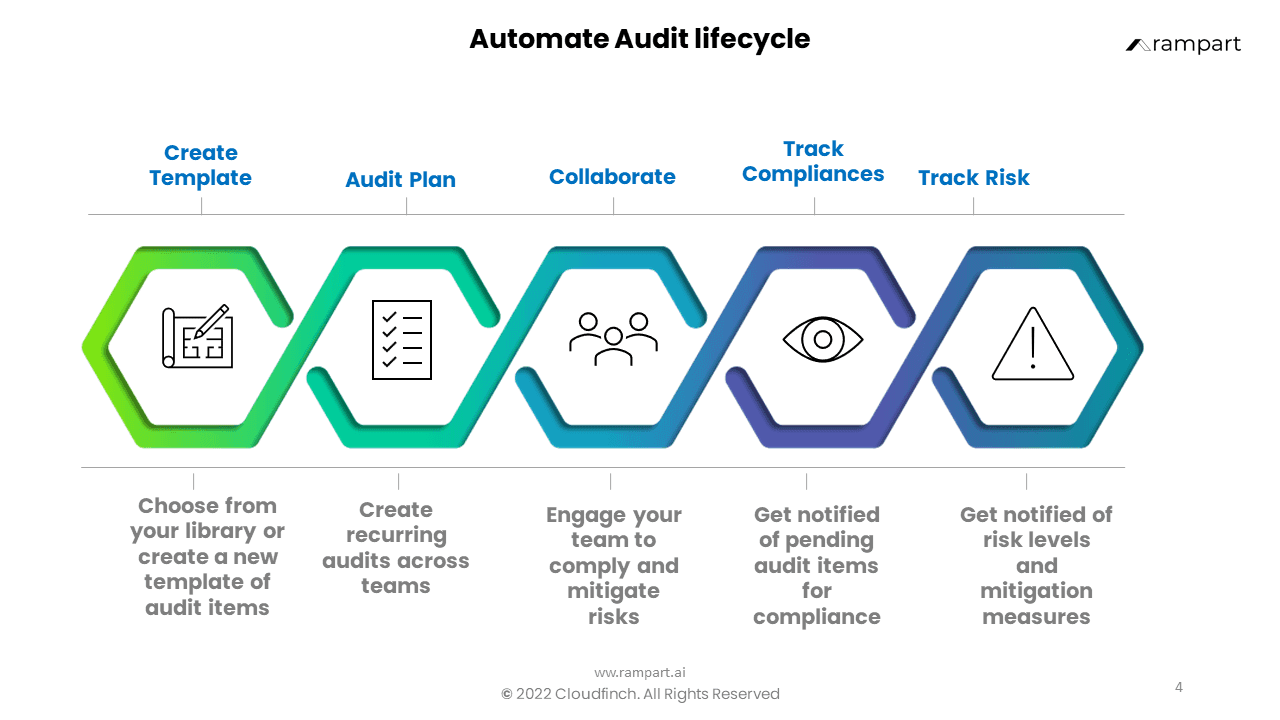
Most audit work follows the same lifecycle: plan the audit, run it, record findings, act on them and report. Automation helps at each step.
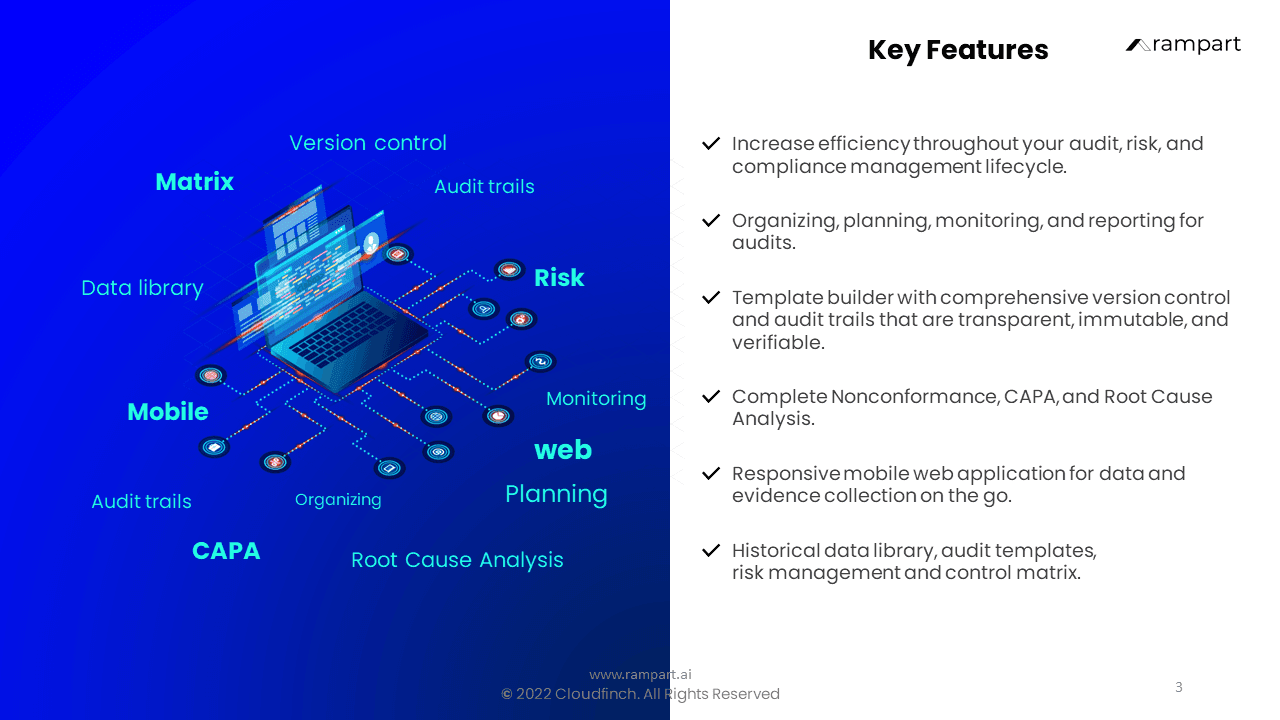
With Rampart, audits run from version-controlled templates. Start from more than 40 ready templates, including ISO, HIPAA, FDA, FSSAI and IEC, or build your own with your own frameworks and scoring logic.
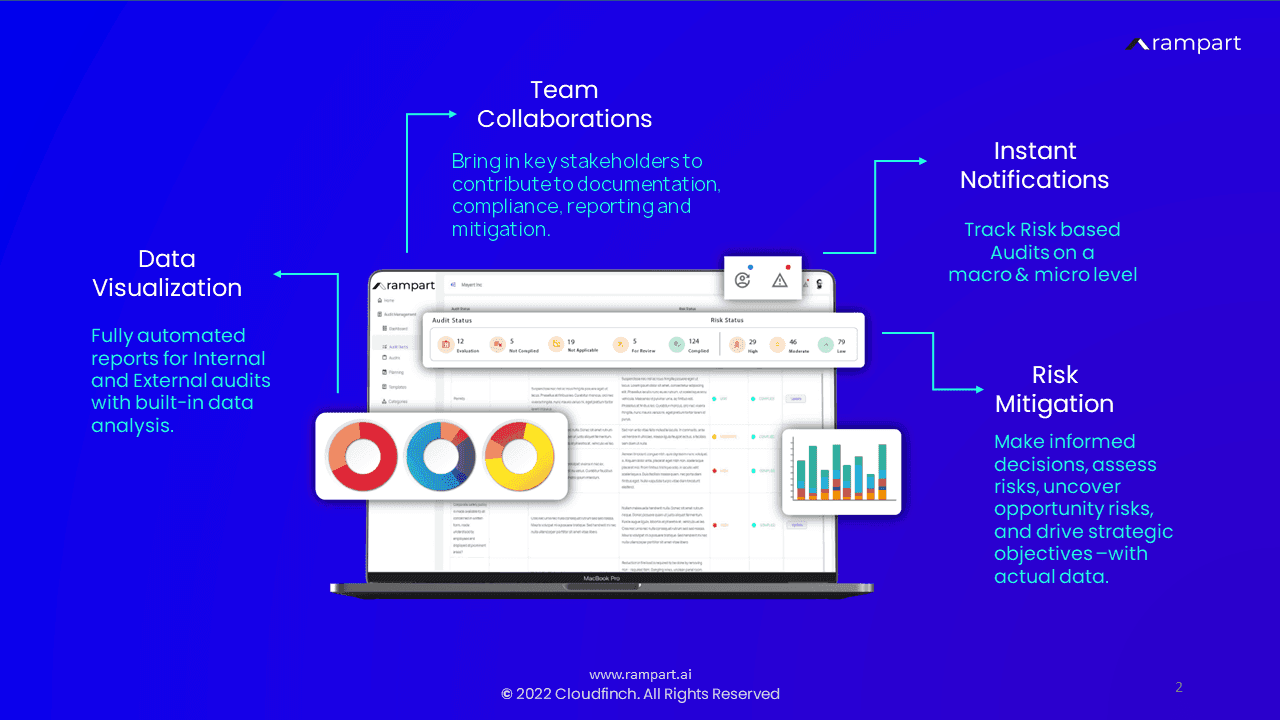
Recurring audits are scheduled across teams and sites, and alerts flag overdue audit items and changing risk levels, so less has to be chased by hand.
Findings become CAPAs with an owner, a due date and root cause analysis, linked to a living risk register and a risk and control matrix.
Auditors, auditees and approvers work on the same findings, evidence and actions, and auditors capture evidence and photos on site from the mobile web app.
Reports are ready in one tap, branded for internal and external audiences, with drill-down analysis from a single site up to corporate level.
Every report, edit, approval and attachment is time-stamped on an audit trail that can’t be altered, and data is encrypted.
A 10-Step Process for Automating Your Audits with Rampart
Use these steps to roll out audit automation in your own programme.
1. Understand the landscape: Start by looking at what audit automation software covers, from templates and scheduling to CAPAs, risk registers and reporting. Knowing the features helps you decide where automation will help your audits most.
2. Identify your needs: Audit workflows vary, so automation should target your pain points. If building checklists takes too long, start from Rampart’s 40+ ready templates, which cover ISO, HIPAA, FDA, FSSAI, IEC and more. If chasing actions takes too long, start with CAPAs and alerts.
3. Set up Rampart: We configure Rampart to your sites, roles and templates before your teams go live. Single sign-on works with your identity provider, and Rampart integrates with the systems you already run.
4. Bring in your data: Import existing registers and audit data, and export it when you need it elsewhere. With your data in one place, reports show patterns and open risks across sites.
5. Automate the routine: Schedule recurring audits, route findings to their owners and let alerts flag overdue items, so audit admin relies less on spreadsheets and email.
6. Collaborate and report: Auditors, auditees and approvers work on the same findings and evidence, and reports for internal and external audits are ready in one tap.
7. Train your team: Show your auditors how templates, findings and CAPAs work in Rampart. Start with one audit type before adding more.
8. Check security and compliance: Make sure the software meets your data protection policies. In Rampart, data is encrypted and can be hosted in India, and every change is on an audit trail that can’t be altered.
9. Improve continuously: Review the outcomes of your audits regularly: overdue actions, repeat findings and time to close. Use what you learn to refine your templates and schedules.
10. Focus on what matters: With the routine work automated, auditors can spend their time analysing findings, assessing risk and advising the business.